TrustChain · interactive walkthrough
See TrustChain in five moments.
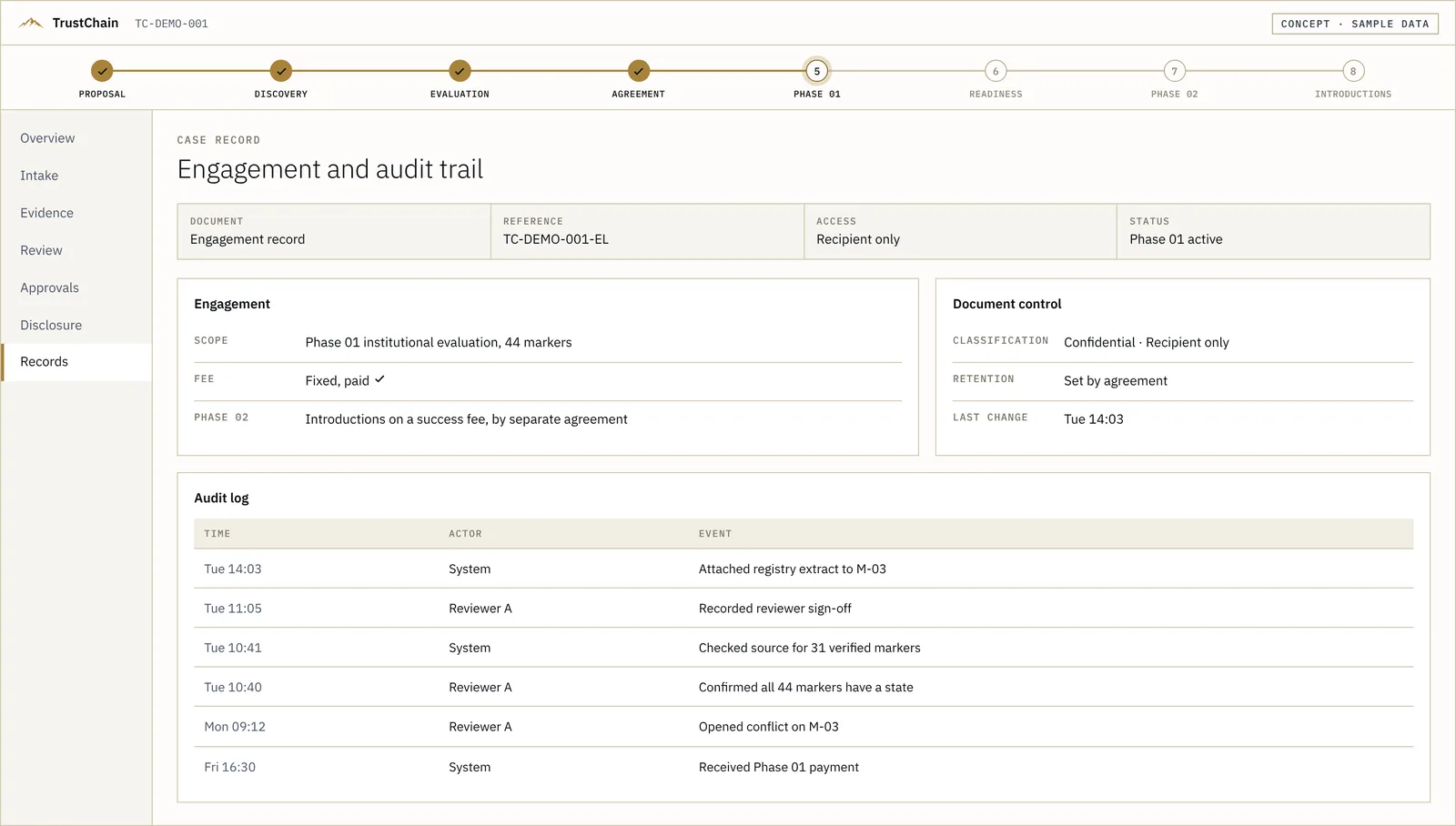
Follow one ownership conflict from intake to the approval gate to the case record. Click the highlighted parts of the screens, or press Play. It takes about two minutes.
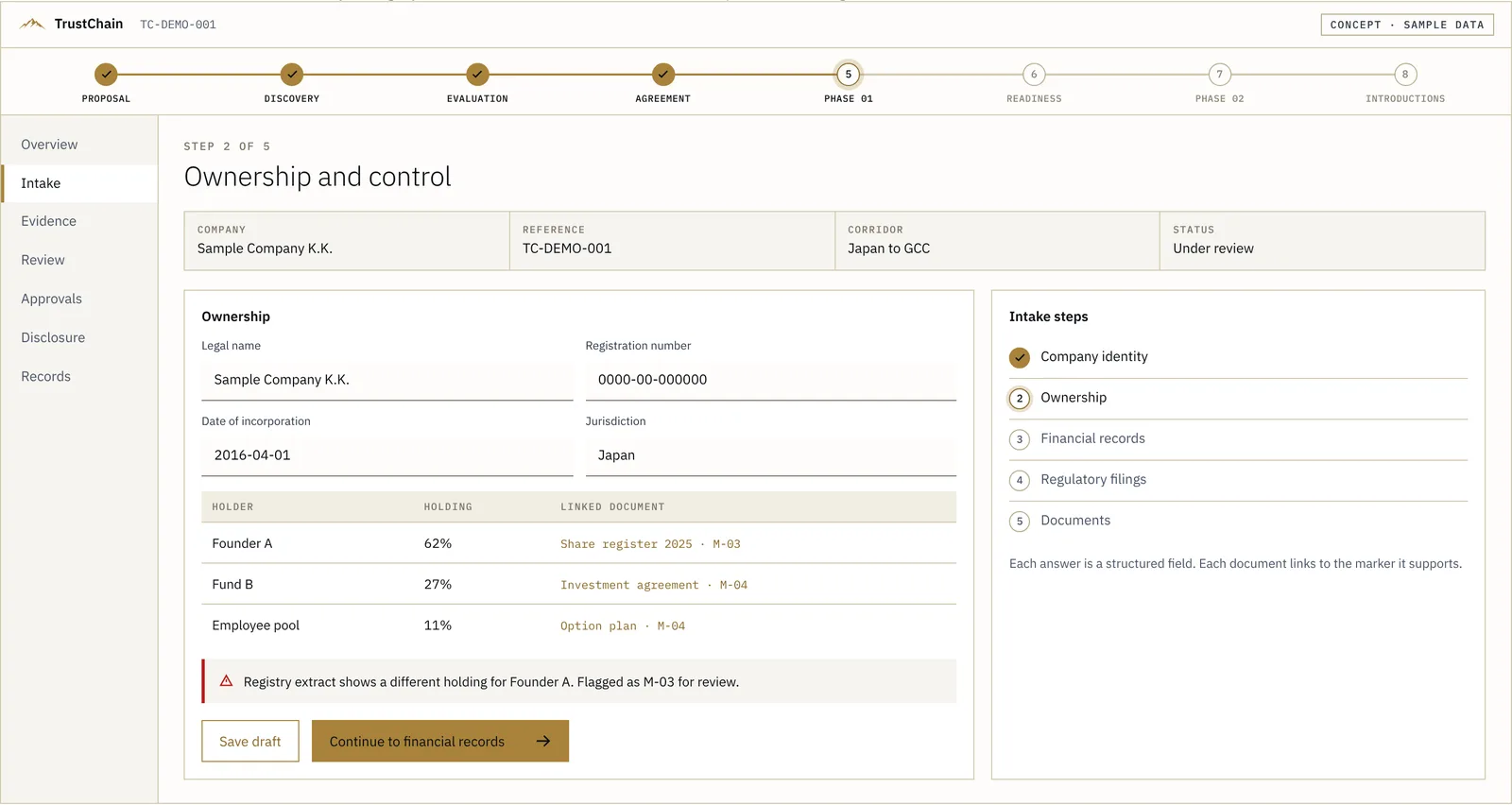
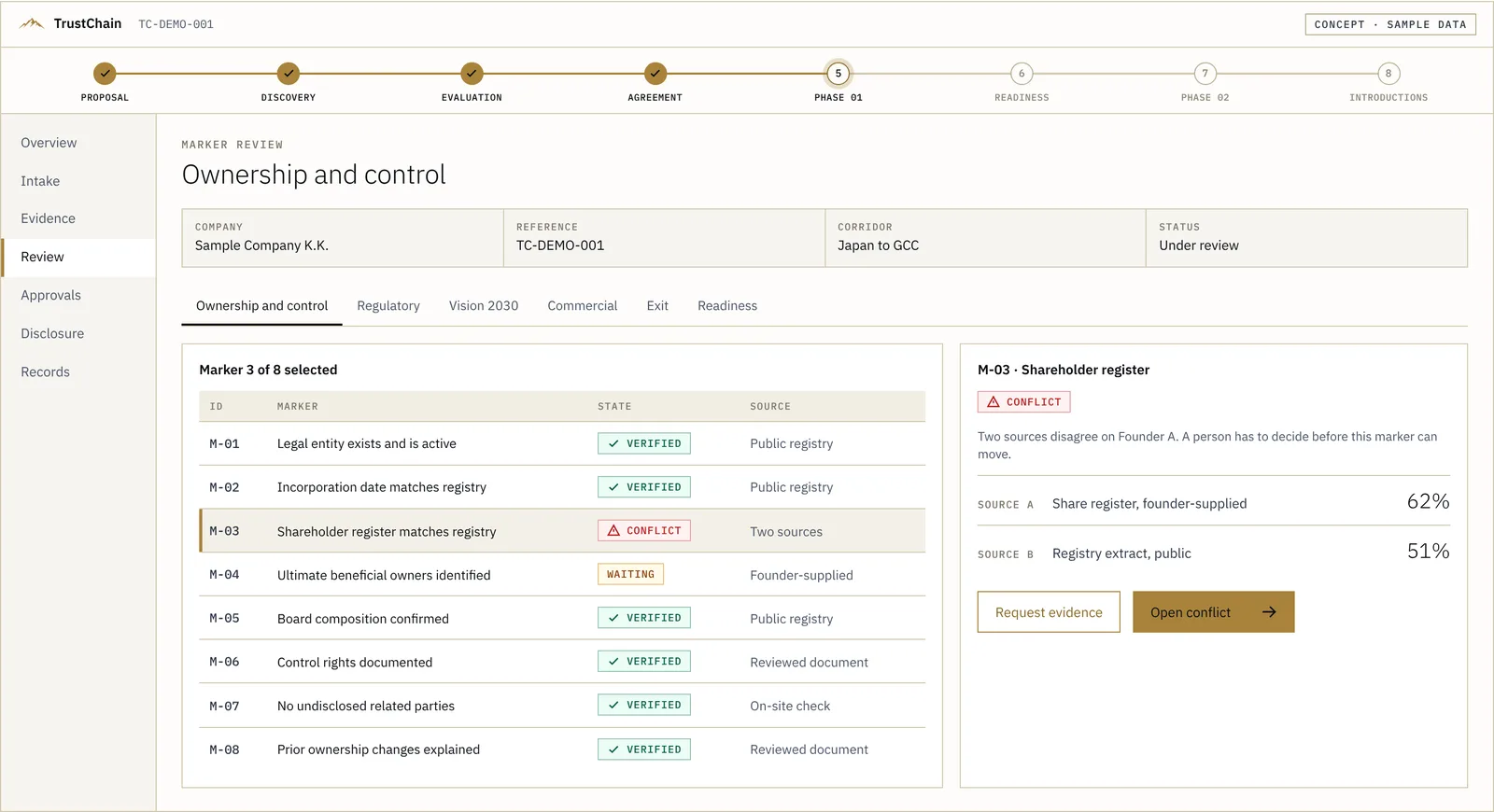
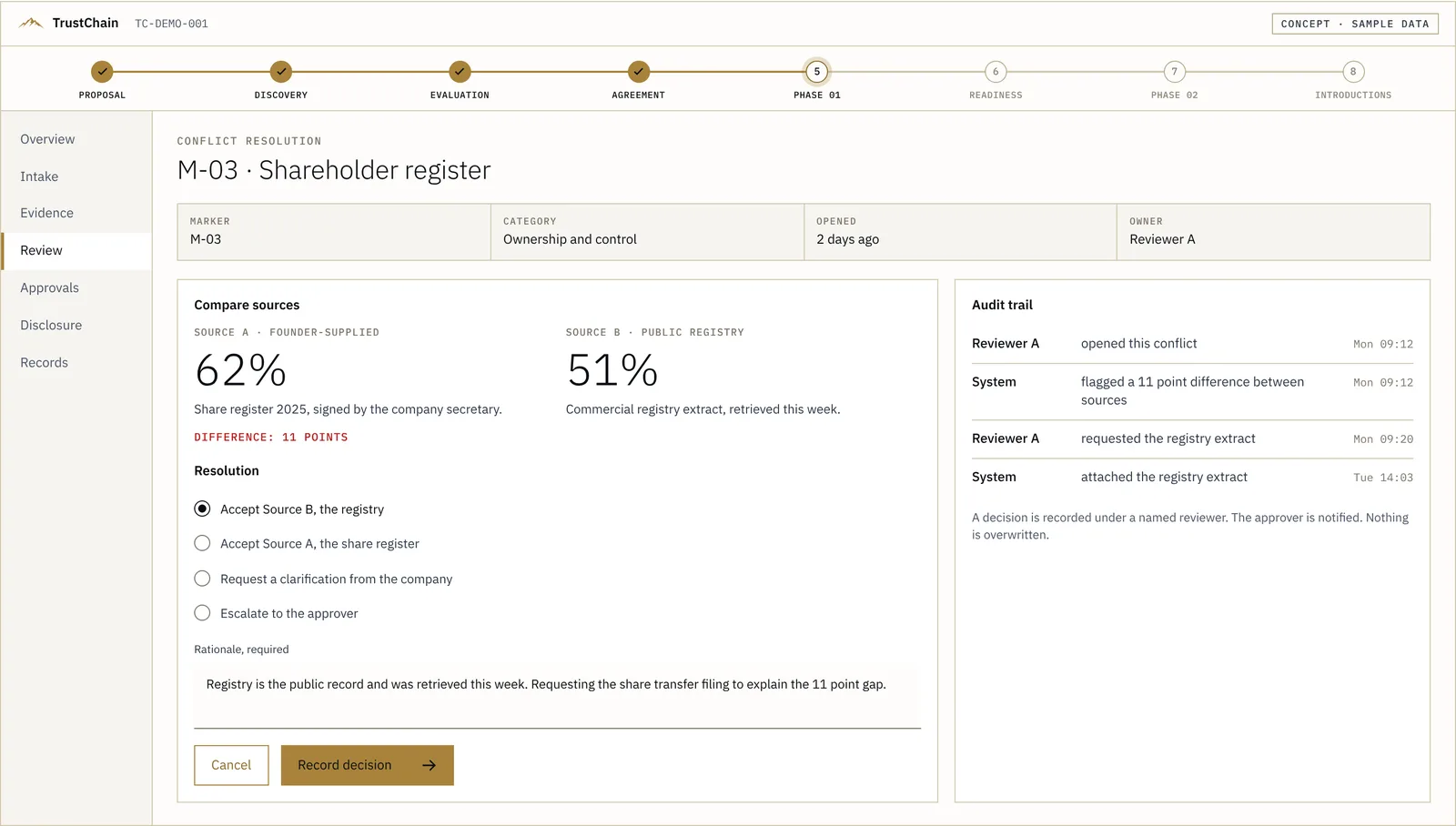
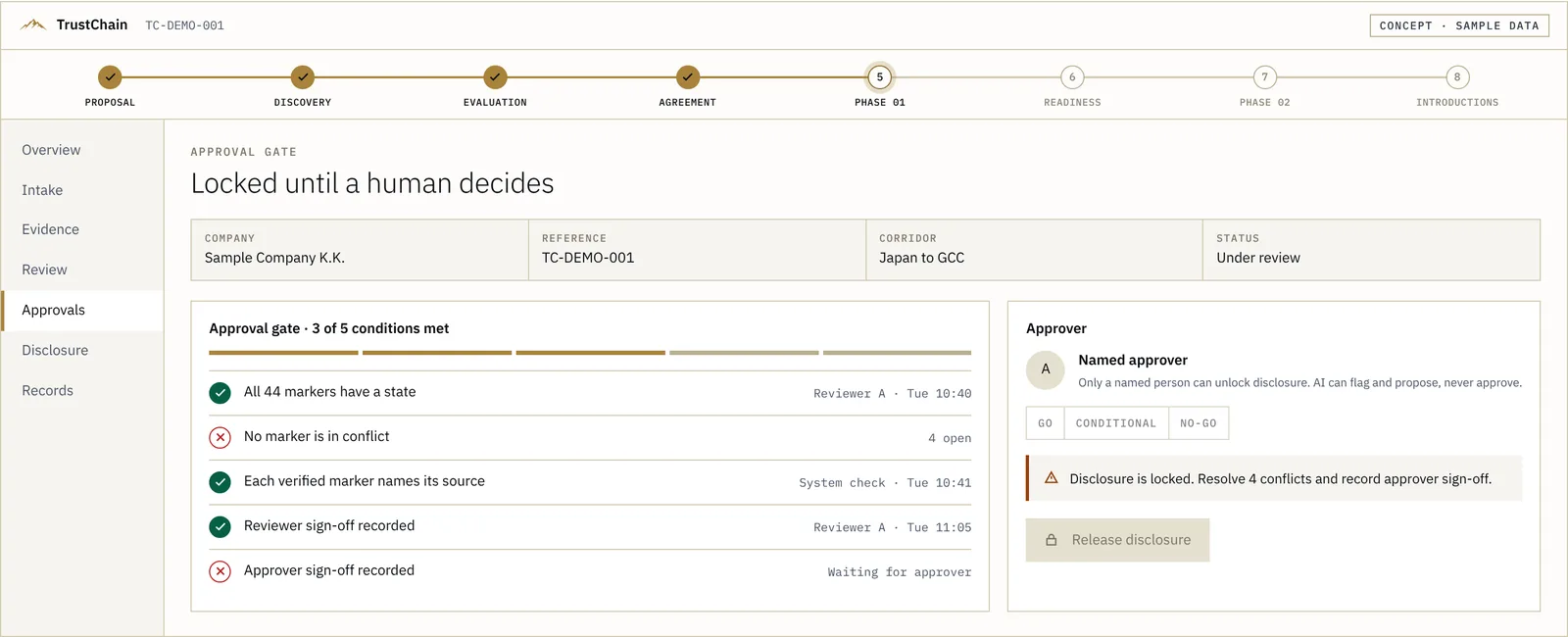
Your file goes in
A deck or data room goes in. It is read against what a GCC institutional desk applies: ownership, governance, regulation, Vision 2030 fit and the likely decision path. Not the Western VC checklist most files are built for.
Try itThe intake already flags a mismatch in the ownership table. Click the red flag to open the review.
Keyboard: left and right arrow keys move between steps. View this screen full size
CONCEPT · SAMPLE DATA. Screens from the TrustChain case-file prototype. Sample Company K.K. is fictional.
What you actually receive
The screens are the working surface. The product is a written verdict.
A 44-marker report on your file, with a Go, Conditional or No-go position and the reasoning for every marker. Introductions are a separate, later step and only with your approval.
US$2,000 · 7 to 10 business days · No investor outcome is guaranteed or implied
Not ready for a review? Take the free capital readiness scorecard first, or go back to the TrustChain page.