Verified
StateVerified
Evidence meets the stated criteria, with a reviewer and a date.
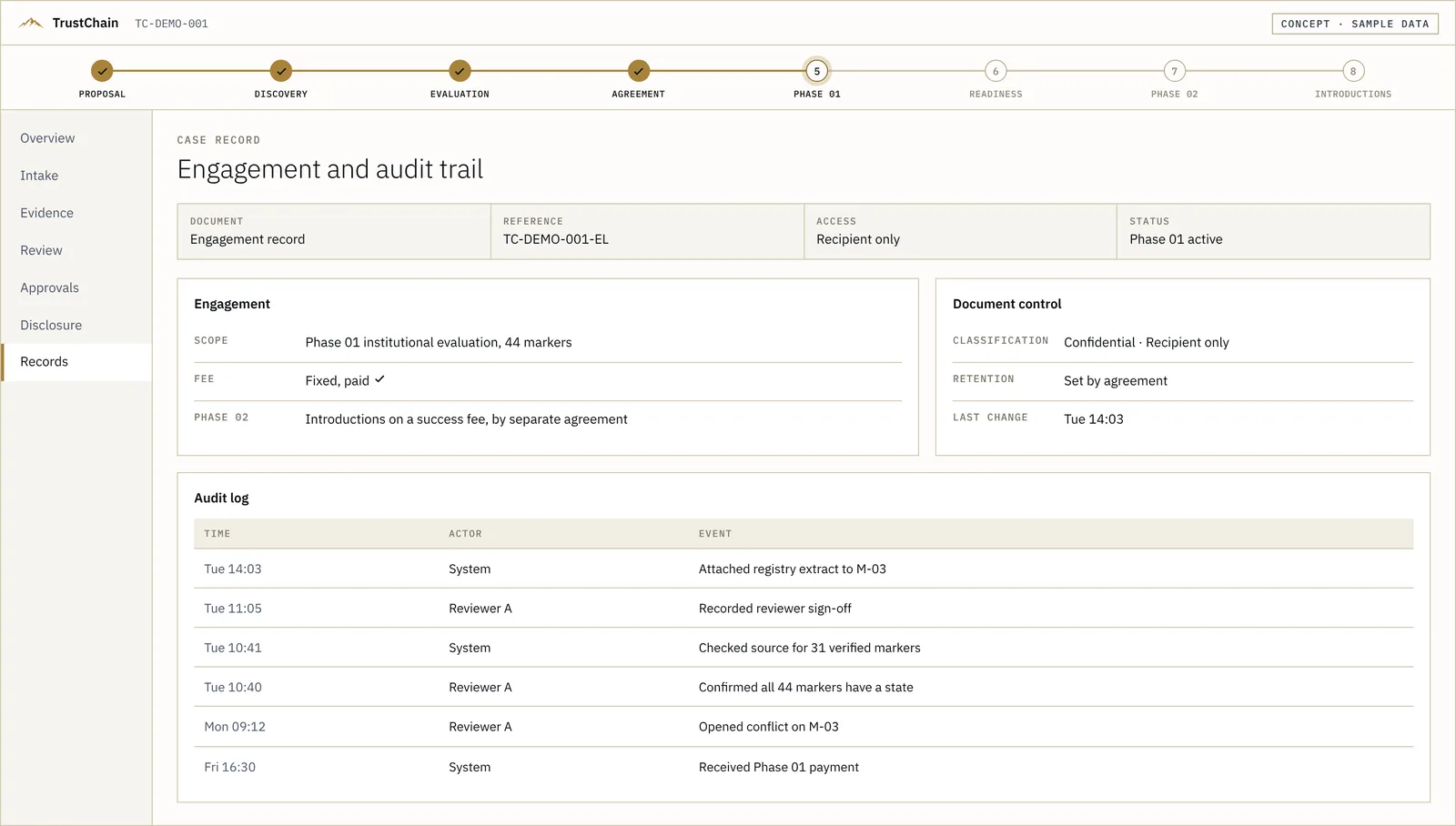
The review runs today as a written service. These screens show how the case file is designed to work: evidence, review and approval in one place. A designed prototype on sample data. Not a live platform.
The software · Interactive
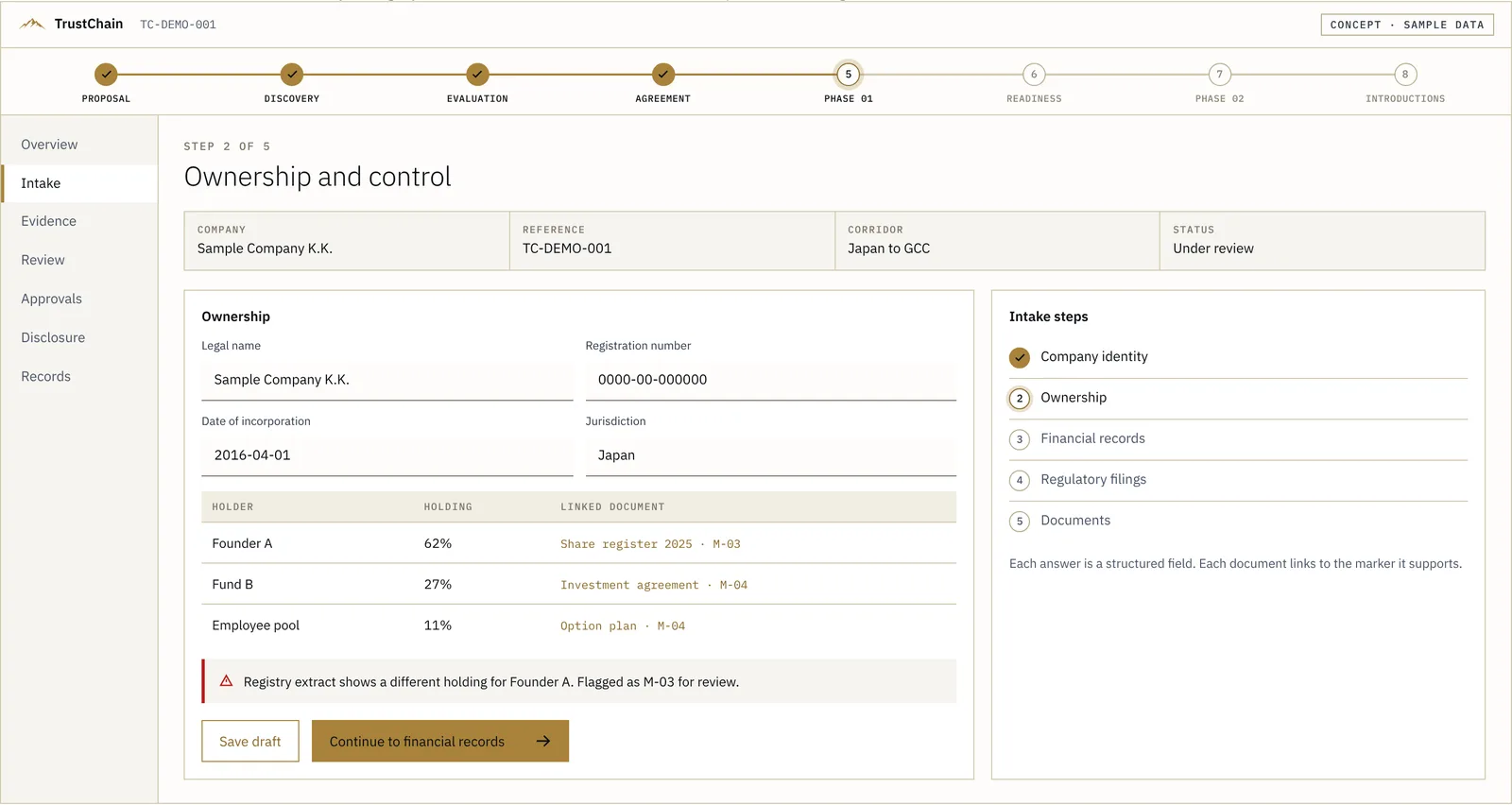
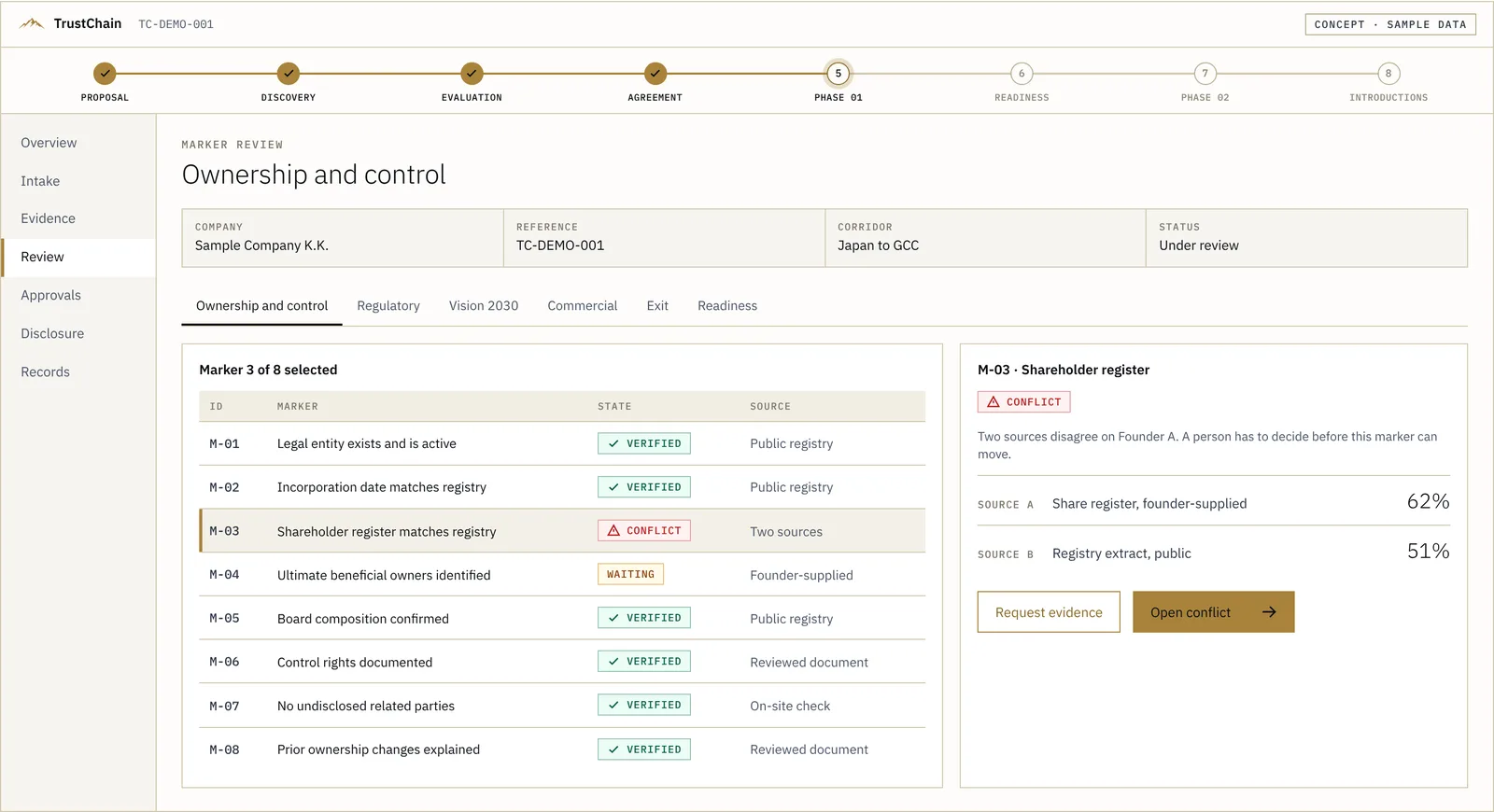
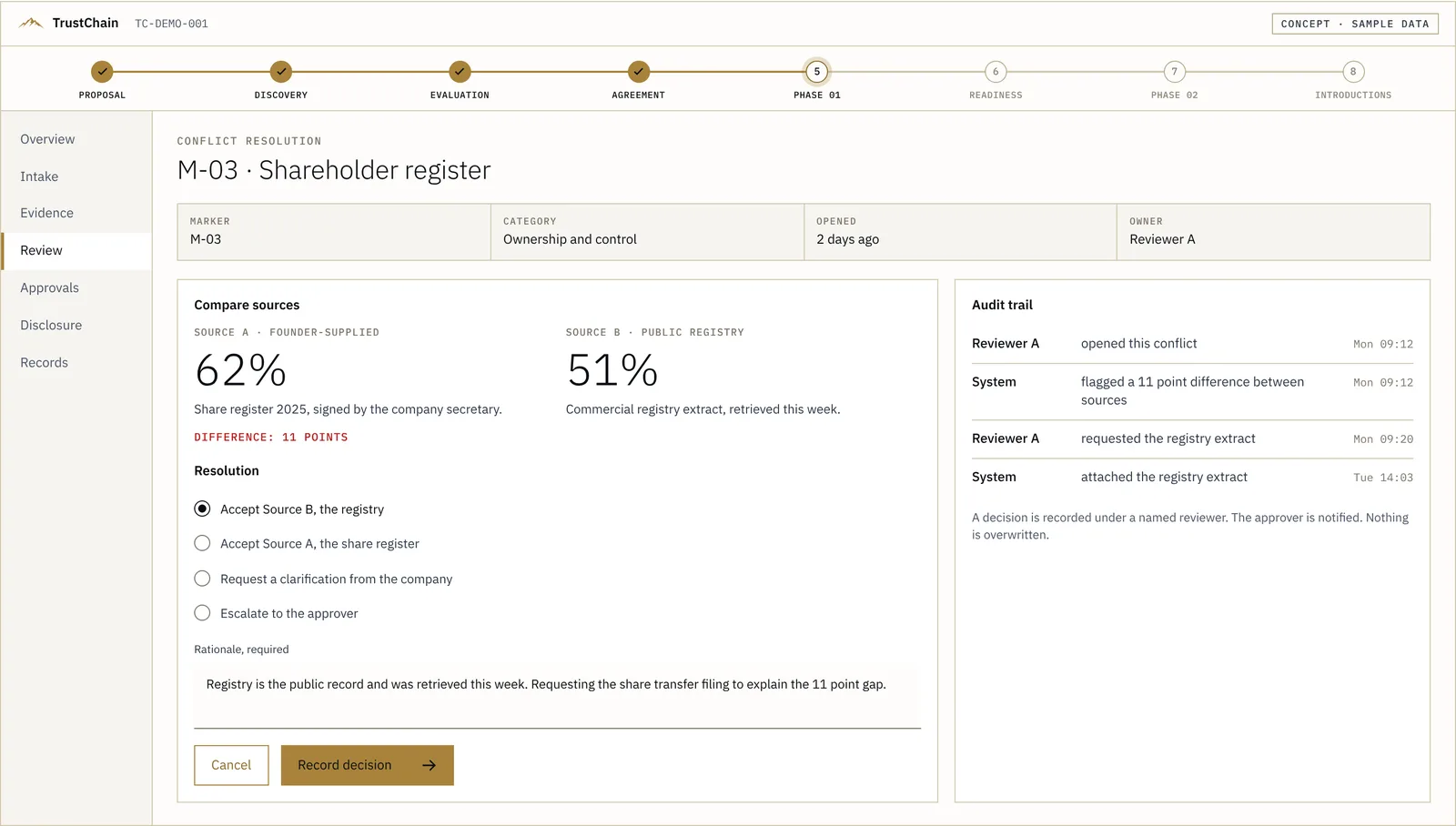
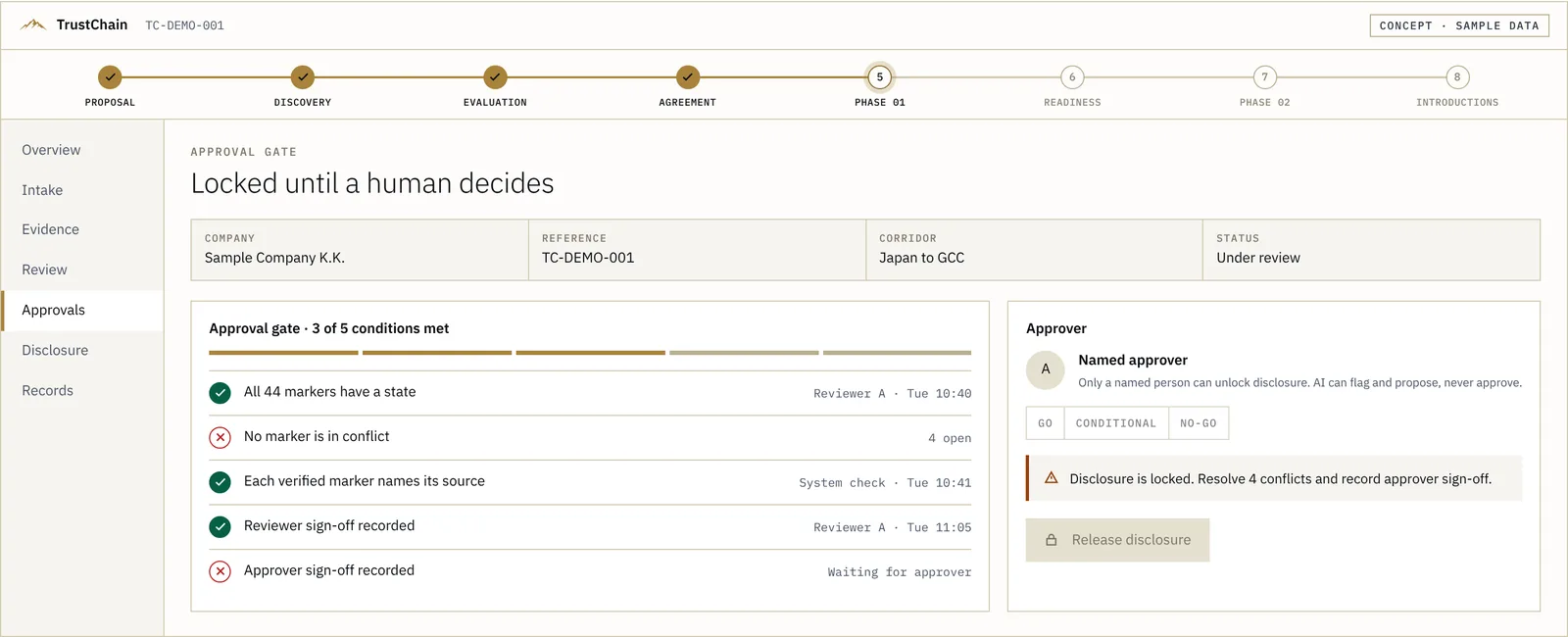
Five screens from a TrustChain case file, from intake to the approval gate. This is a preview. The full walkthrough is clickable: open a flagged marker, record a decision, try the locked disclosure button.
Designed prototype on sample data, not a live platform. Mergeo AI is an illustrative company.
 Open this screen →
A deck or data room is read against what a GCC institutional desk applies. The intake flags an ownership mismatch.
The review runs today as a written service. The software below is how it is designed to run: eight screens that follow one case from intake to the audit record. It is designed, not built, and every screen uses sample data.
The same file moves from overview to record. The layout does not change between stages.
All data is sample data. The software is designed, not built.


Fewer states means a reviewer can scan a case in seconds.
Evidence meets the stated criteria, with a reviewer and a date.
Evidence is requested or submitted and has not been reviewed.
Two sources disagree. A person resolves it and records the reason.
The approval gate lists its conditions, shows which are met and stays locked until they are. The release is a decision, and the record shows who made it.
Highlight a conflict, suggest a marker state, draft a summary for a reviewer.
Resolve a conflict, set a state, release a disclosure.
The 44-marker readiness review is how TrustChain works today.